
3DO FZ1 USB Console - Retro Gaming


3DO FZ1 USB Console - Retro Gaming
SPECIFICATIONS
Age: >8 Years
Brand Name: EVANOVM
Choice: yes
High-concerned chemical: none
Model Number: 3do usb oed
Origin: Mainland China
Type: Coin Pusher
is_customized: Yes
semi_Choice: yes
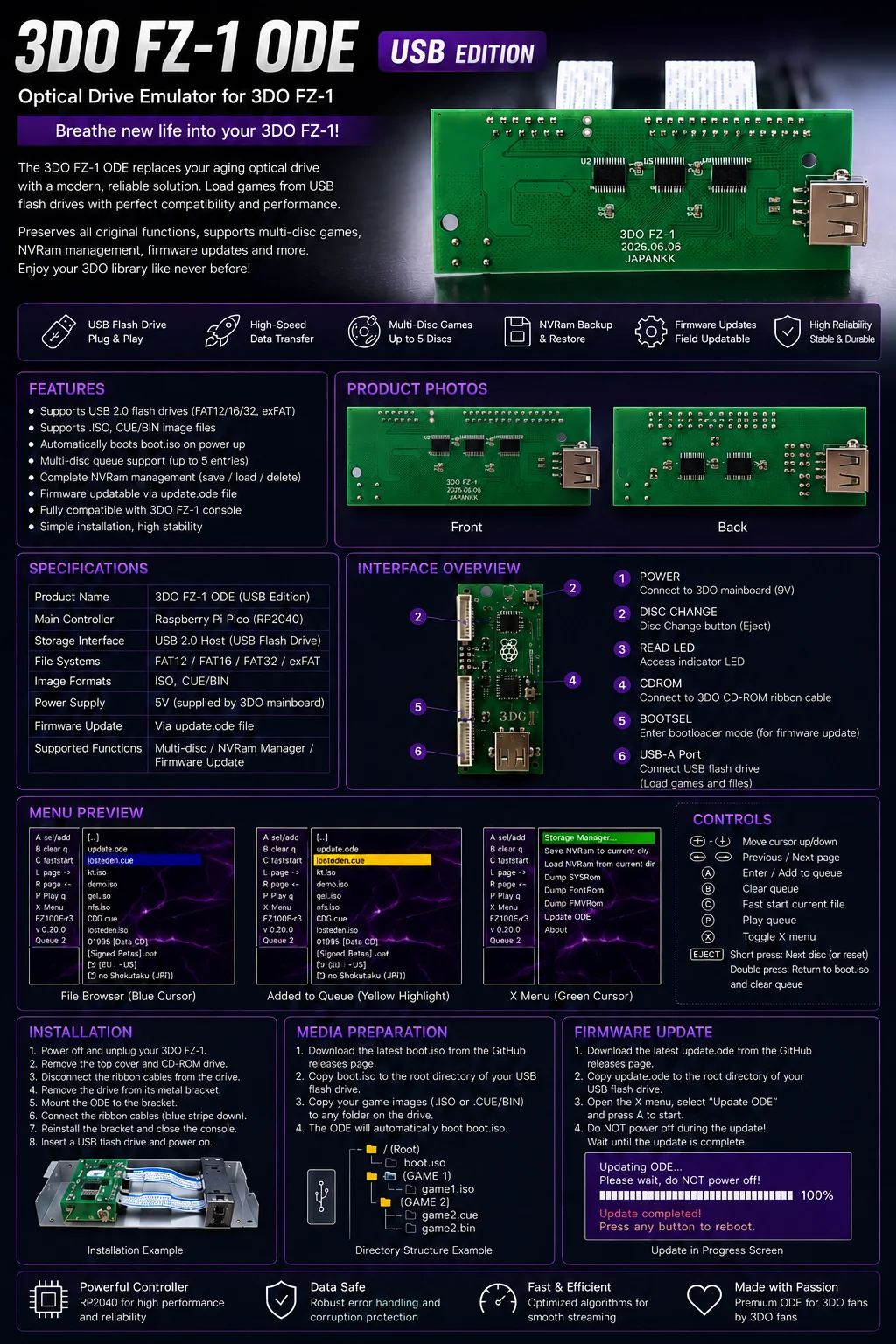
USBto3DO is an ODE (Optical Drive Emulator) designed for the 3DO console. It replaces the original ODD disc drive and allows games to run directly from ISO images stored on a USB storage device.
Installation Steps
1. Remove the console’s top cover and take off the disc drive cover plate.
2. Disconnect the two FFC ribbon cables and remove the original disc drive.
3. Connect the FFC ribbon cables to the USBto3DO expansion board.
4. Peel off the adhesive backing on the board and mount the expansion board inside the FZ-1 console according to the installation diagram.
5. Test the system, then reinstall the drive assembly and console shell.
Creating a USB Boot Drive
1. Format the USB storage device as exFAT or FAT32.
2. Copy the boot.iso file to the root directory of the USB drive.
3. Copy your game ISO images onto the USB drive.
Features
• Compatible with the Panasonic 3DO FZ-1 console
• Supports loading game images from USB storage
• Replaces the original optical disc drive
• Simple and convenient installation
• Ideal for retro gaming enthusiasts and DIY modders